

Material Capsule v16.9 APK – Best Download
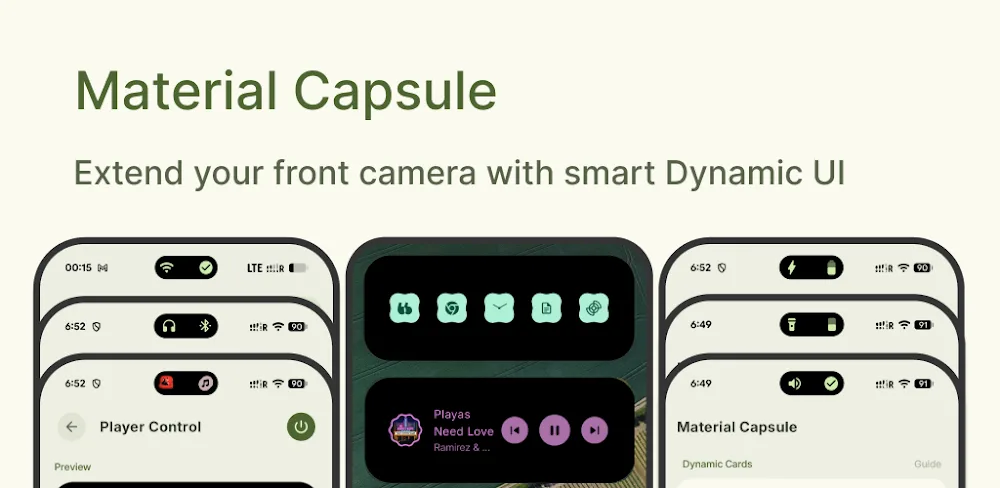
Material Capsule is an Android customization application that transforms the front camera cutout into an interactive notification island with media controls, customizable gestures, quick shortcuts, download tracking, and adaptive colors.

Screenshots
Take a closer look at Material Capsule.


Material Capsule Dynamic Island Customization Features
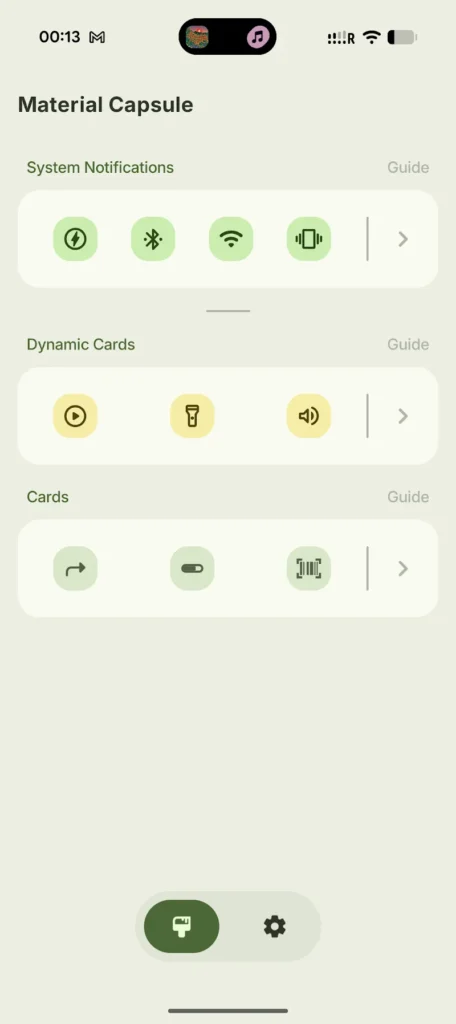
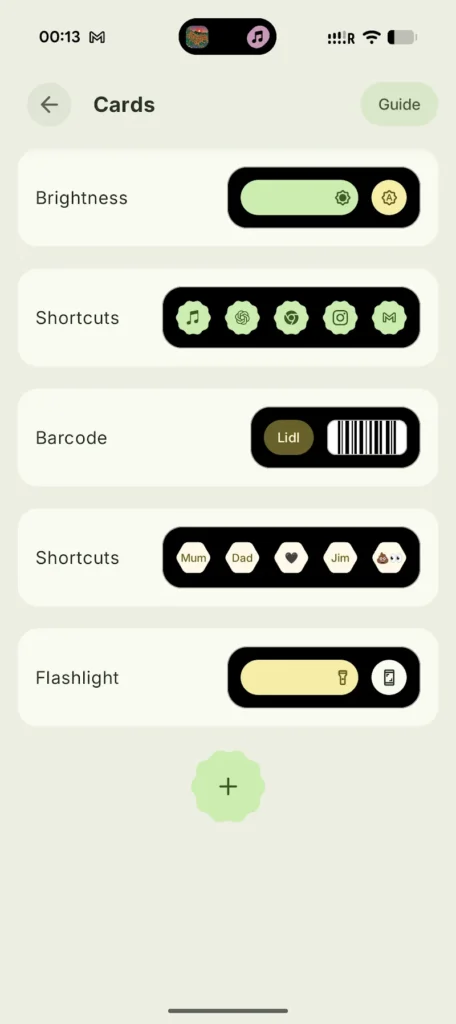
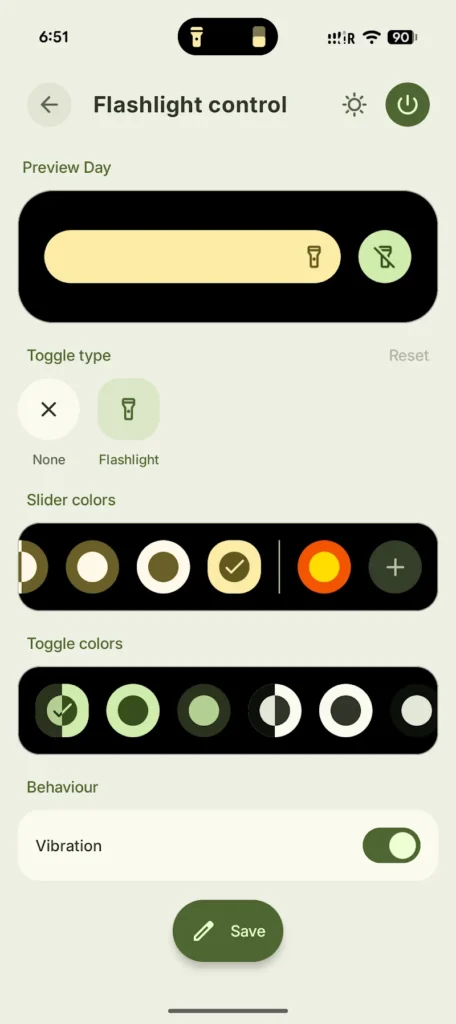
Material Capsule transforms an Android phone's front camera cutout into an interactive control area inspired by Material 3 Expressive design. Developed by Pryshedko Apps, the application displays notifications, music controls, download progress, and customizable shortcuts within an animated capsule. Users can assign actions to taps, double taps, long presses, and swipes to launch apps or access frequently used tools. Its customizable widgets provide brightness, volume, and flashlight adjustments on supported devices. Wallpaper-based colors help the interface blend with Android's visual theme. Unlike Speed Test WiFi Analyzer (analiti), which diagnoses network connections, this utility focuses on convenient device interactions, notification management, and interface personalization.
Key Features
- ✓Dynamic Island Notification Display
- ✓Interactive Music Playback Controls
- ✓Custom Tap and Swipe Gestures
- ✓Live Application Download Tracking
- ✓Adjustable Brightness and Volume Sliders
- ✓Wallpaper Adaptive Material Colors
- ✓Custom Shortcut and Barcode Widgets
Frequently Asked Questions
What is Material Capsule used for?
It is an Android interface customization application that places an interactive capsule around the front camera cutout. The capsule provides access to notifications, media playback controls, application shortcuts, widgets, and system functions without repeatedly opening individual applications.
How does the Dynamic Island feature work?
The application creates an interactive overlay around the camera cutout. This area expands or changes appearance when supported notifications, media activity, or system events occur. Users can customize its dimensions, animations, colors, gestures, and behavior to match their preferences.
Can I control music from the camera cutout?
Yes. The application includes media playback controls that allow users to play, pause, skip, and seek through supported audio content. These controls appear within the interactive capsule, making music management more convenient while using other applications.
Does the application support custom gestures?
Yes. Users can configure single taps, double taps, long presses, and swipe actions. Supported gestures can launch applications, open contacts, display widgets, or activate selected shortcuts. Gesture availability depends on the configured layout and Android permissions.
Can I monitor download progress through the capsule?
Yes. The developer advertises download progress tracking for supported applications, including Google Play, Telegram, and web browsers. The feature presents available download activity within the capsule so users can monitor supported transfers without repeatedly opening the originating application.
Does Material Capsule support Material You colors?
Yes. The application supports wallpaper-adaptive colors inspired by Android's Material You design. Users can also customize layouts, animations, shapes, and visual behavior to coordinate the capsule with their device appearance.
Can I adjust brightness, volume, and flashlight settings?
Yes. Interactive controls include brightness and volume sliders, along with flashlight adjustment on supported hardware. Users can assign frequently used controls to widgets or shortcuts for faster access. Some flashlight brightness controls may not work on every Android device.
Does the application require accessibility permission?
Yes. The official developer description explains that the application uses Android's AccessibilityService API for visual overlays, including drawing above other applications and the system status bar. It also supports quick scroll-to-top interactions. Users should review the requested permissions before enabling the service.






Comments (0)
Share your experience with Material Capsule.